Sunday, May 30, 2010

Indy 500 Pre-Race

It's race day at the Indianapolis Motor Speedway. It's still hours before the race, but already things are happening.


Bands are playing and the Borg Warner Trophy has been rolled out onto the strip of bricks that comprise the start/finish line.


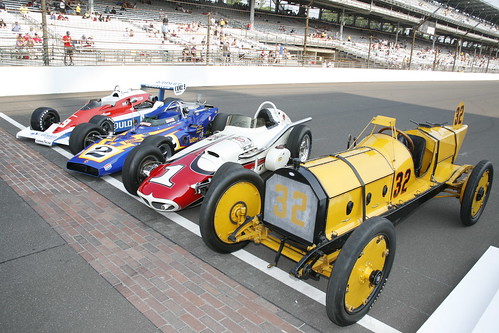
Also lined up on the grid are four former Indy 500 winning automobiles that will be part of the pre-race parade.


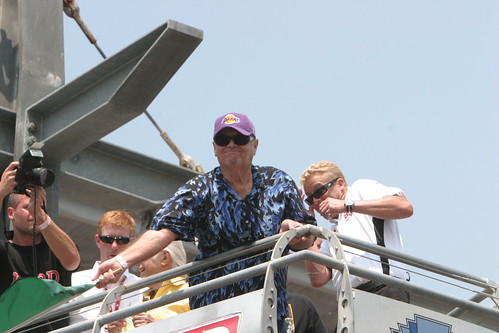
There are plenty of celebrities on hand. Jack Nicholson strolled down through the starting grid to get a close-up look at the 33 race cars. He'll be the honorary flagger for today's race.


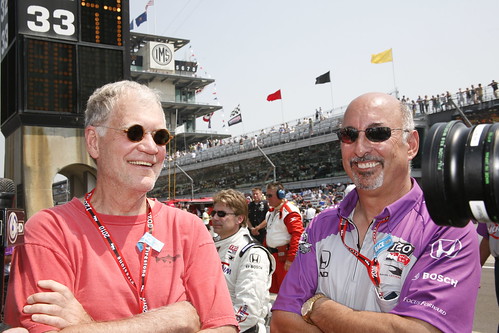
David Letterman and Bobby Rahal, co-owners of Rahal Letterman racing are here. Bobby's son Graham is now driving for the team.


Mark Wahlberg is also here. He will get to ride in the Indy 2-seater, driven by Michael Andretti, ahead of the rest of the grid during the warmup laps.


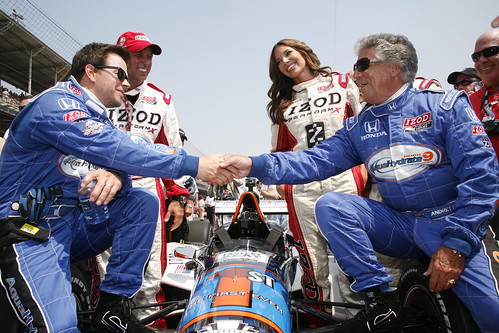
While the cars were being moved to the grid, Mark Wahlberg and Mario Andretti went up to the front and chatted while sitting on the 2-seater.


Then the drivers were all introduced and took seats at the start/finish line for the rest of the pre-race festivities.


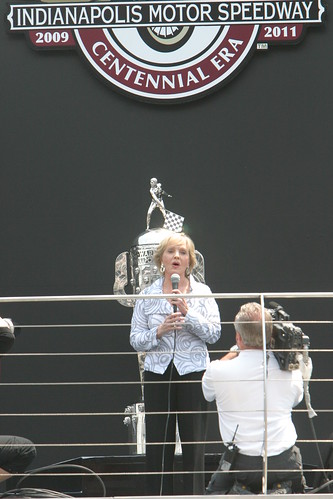
Florence Henderson sang "God Bless America."


Jewel sand the Star Spangled Banner.


Then four fighter jets flew down over the length of the main straight away.


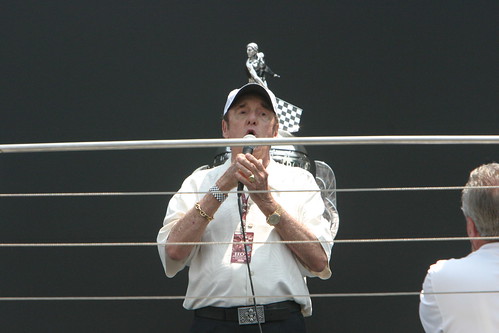
Finally, Jim Nabors sang "Back Home Again in Indiana".


And then it was time for Jack Nicholson to wave the green flag to start the most famous auto race in the world.

Saturday, May 29, 2010

Indianapolis - Day 2

It's day 2 here in Indianapolis. There's nothing much going on at the track today, so it's the perfect opportunity to sit down with the Dragon Racing engineers to gather material for my article. It's also a perfect chance to soak up some of the history that is the Indianapolis Motor Speedway.


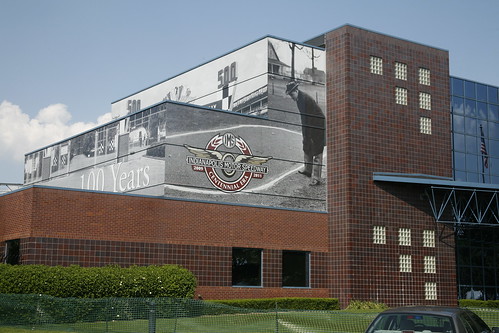
The Administration Building looks pretty new. This is where I had to go first thing Friday morning to pick up my credentials for the race. The speedway is celebrating its centennial. It's 100 years old, but since there were no races for several years during the world wars, it's not yet the 100th running of the Indy 500. So the Brickyard will celebrate its centennial for several years.


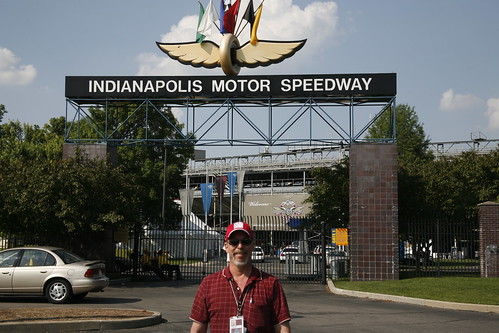
One of the most distinctive aspects of this place is the main gate. It's just iconic. I had to stop and take a picture.


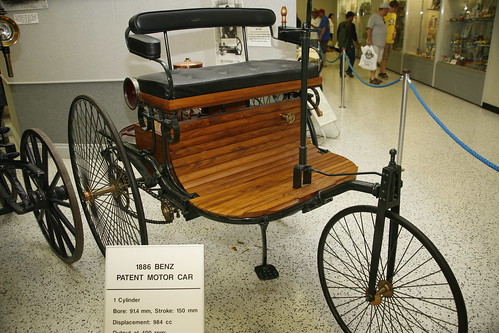
Then I went over to the Hall of Fame. This building houses one of the finest collections of race cars and other automobiles in the world, and they all still run. It was a fascinating visit for me, not only to see the former Indy 500 winners, but also because a number of the vehicles on display factor into my upcoming book on the land speed record. Here's a Patent Benz, one of the very first automobiles.


And this Delage, while the 1914 Indy winner in its own right, was also a land speed record holder in its day.


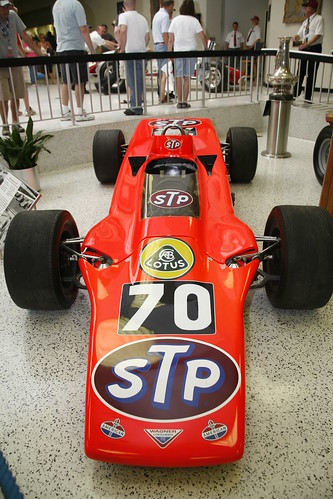
Of course, one of the high points for me was to see this car, one of the three STP turbine cars that ran in the 1968 Indy 500. That was the last time I came to Indianapolis. My cousin Jerry took me to the race when I was 15 years old. We sat in turn 4 and watched the turbine cars dominate the race only to break down just a few laps from the end.


After spending several hours in the museum, I spent a few more hours in the Dragon Racing garage, talking with the engineers and admiring a beautiful example of today's modern open-wheel race cars.

Friday, May 28, 2010

Indy 500 Day 1

I'm in Indianapolis this weekend for the Indy 500. I'm working on an article that will be published later this summer in Desktop Engineering magazine.

It's been a pretty interesting trip so far. I was seated on my fligh from Salt Lake City to Indianapolis with members of the band Rival Sons, who played on pit row yesterday during the Pit Stop Challenge.


The challenge competition was won by Helio Castroneves, who is seen here accepting the $50,000 winner's check.


I had a chance to get down and kiss the most famous bricks in the world, the strip of bricks at the start/finish line, the last ones remaining from the original "Brickyard."


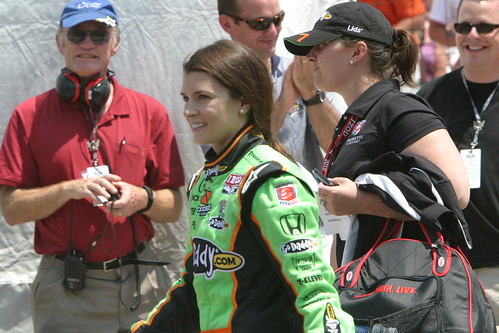
Danica Patrick was also entered in the Pit Stop Challenge. And yes, that is fellow CAD journalist Bill Fane. He's also here this weekend.


The 35-lap Indy Lites race was a nice tight competition after a crash on lap 3 took out the pole sitter.


Here's the HP-sponsored car of Raphael Matos. HP is responsible for getting me to Indy. I'll be talking with team engineers today in preparation for the article.


Here Raphael discusses results of today's final practice run with team owner Gils de Feran.


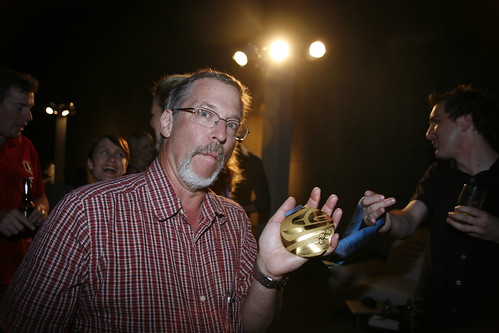
A high point for me was a party last night at the Indianapolis Museum of Art. Outside in the sculpture garden, some people were passing around an Olympic gold medal. It took me a few seconds to realize that it was a medal from the Vancouver Games and a few seconds later I realized that I was standing next to Steve Holcomb, the driver of USA 4-man bobsled #1, who I watched win that gold medal up at the Whistler Sliding Center back in February.


What a thrill to meet Steve and actually hold the medal.


There were lots of other interesting people at the party, including Mario Andretti, NFL hall of famer Lynn Swann, and Bruce Jenner.


Oh, and did I mention that the entertainment at the track after the practice and Indy Lites race was ZZ Top? Not a bad start to what should continue to be a very interesting weekend.

As always, there are lots more photos on my Flickr site.

Thursday, March 25, 2010

More Details on AutoCAD 2011

We're continuing our day here at Autodesk. I'm now in a breakout room with several dozen bloggers and Autodesk personel, going into more detail on the features in AutoCAD 2011.

It's now much easier to modify objects in AutoCAD with a simple right-click. For example, when you select a polyline, new grips appear on the vertices and polyline segments. You can then hover over a grip and move a vertex, add a vertex, or delete a vertex. You can also convert straight-line polyline segments into curved segments, or curved segments into straight-line segments.

Several tools that were available in subscription packs for AutoCAD 2010 are now part of the core functionality of AutoCAD 2011. For example, you can select an object and then right-click and choose to select similar objects, or create a simialr object.

There is also a new set of tools to hide or isolate objects separate from layer control. You can select objects and then isolate those objects by hiding everything that was not selected or hide the selected objects, leaving unselected objects visible. You can do this repeatedly until just the desired objects remain visible. A new button on the Status bar indicated when objects have been hidden/isolated. You can then easily restore object visibility when you're done working. By default, object visibility does not persist between drawing sessions, but there is a new system variable that enables you to retain the visibility between drawing sessions.

AutoCAD also now supports transparency on both an object and layer basis. You can also include transparency as part of a hatch object. The one thing to watch out for is transparency when plotting. If you want to plot with transparency, you must turn on a specific setting within the Plot dialog. This causes the resulting plot to be rasterized. This setting is off by default because it adds time to the plotting process. But as pointed out during our session, rasterization can cause problems when creating a DWF file. DWF files are typically vector files. If you bring a DWF file into an AutoCAD drawing as an underlay, you can snap to geometry in the DWF file. But if you rasterize when creating a DWF file, you won't be able to snap to geometry in the resulting DWF file.

It's worth noting that the hatch, polyline, and transparency features are all now available in AutoCAD LT. In addition, AutoCAD LT now has gradient fills, just like AutoCAD.

One other new function that I really like are inferred constraints. In AutoCAD 2010, you had to create all constraints manually, although you could use the AutoConstrain tool to apply a bunch of constraints in one step. But now, in AutoCAD 2011, there's a button on the Status bar that turns on Inferred Constraints. When inferred constraints are enabled, appropriate geometric constraints are created automatically as you work. So if you were to draw a rectangle, for example, parallel constraints would automatically be applied to opposite sides and a perpendicular constraint to one corner, so that the rectangle would remain a rectangle when grip editing (rather than just a closed polyline).

I'll continue to report on today's events. Over the next few days, I'll start posting short videos illustrating many of these features. You will certainly find similar videos posted by others, including Heidi Hewett (on her AutoCAD Insider blog).

New Features in AutoCAD 2011

The Autodesk webcast started off this morning by lifting the curtain on the newest release of AutoCAD. AutoCAD 2011 extends on the 3D capabilities added in previous versions with the addition of associative surfaces.

Associative 3D surfaces can be based on 2D curves that remain associated with the surfaces. When you modify the curves, the surfaces on which they were based are updated automatically. In addition, the 2D parametrics introduced in AutoCAD 2010 can now be extended to 3D thanks to these associative curves. If the curves were defined using geometric and dimensional constraints, you can use those constraints to drive the curves, which in turn drives the 3D model.

Another big improvement is direct manipulation of objects. For example, you no longer need to go into a Hatch dialog to create or edit a hatch patter. The Hatch dialog has been replaced by a Hatch contextual ribbon. As you make changes to the hatch settings, you immediately see the resulting hatch pattern in the drawing, making it much easier to get the desired results. If you do need to edit a hatch object, when you select the hatch, the Hatch Edit contextual ribbon is immediately activated, and again, you can immediately see the effect of each change within the drawing. You can also right-click on the hatch object and adjust many aspects of the hatch, such as hatch angle or scale, instantly using a shortcut menu.

I'm sure that we'll see more details of AutoCAD 2011 later today. But right now, the presentation is moving on to Inventor 2011.

AutoCAD Turns 25

I'm in San Francisco at Autodesk today for the launch of AutoCAD 2011. This is the 25th release of AutoCAD. There will be a live webcast starting shortly at www.autodesk.com/webcast. I'll be in the audience at that webcast along with a number of other bloggers, authors, and analysts. I'll also be blogging throughout the day. So please stay tuned.

In the pre-briefing this morning, the main points raised were:

  • 76,000 man hours spent on Q/A of the new release
  • 6,000 total code reviews of new release
  • 2,000 commands tested
  • 4,600 Beta customers involved in AutoCAD 2011
  • 1.4M lines of old code were removed
Autodesk will also announce Alias Sketch for AutoCAD, which will also be launched today as a plug-in. The program adds sketch rendering capability right inside AutoCAD. A single inte4grated environment enables you to combine 2D paint with AutoCAD geometry with a 3D model as an underlay.

I'll provide more details as the day developes.

Friday, March 19, 2010

The CAD Brothers

I just spent a very enjoyable week in Texas, speaking at AUGI CAD Camp events in Austin on Tuesday and Dallas on Thursday. I also dropped in on the Dallas AutoCAD User Group meeting on Wednesday night.

Since we figured we'd need a rental car while in Austin (the event hotel was quite a ways from the airport), we decided to drive from Austin to Dallas on Wednesday. When we arrived at Austin airport on Monday, Budget didn't have any full-size cars available, so after some debate, they upgraded us to a premium vehicle, which turned out to be a fully-loaded Lincoln Town Car.

Well, put a bunch of CAD geeks in a big piece of Detroit iron for a 4-hour drive across Texas and strange things are bound to happen. The AUGI national speaker team is no longer four individuals. We are now "The CAD Brothers" and we're on a mission from AUGI.
Here we are on our arrival in Dallas. From left-to-right: Bill Fane, me, Rick Ellis, and Robert Green.